Recently, I worked with a Shopify client who was opening their store to retailers through Shopify Collective, and one question kept coming up: when an order comes in, which shipping rate actually gets charged?
It sounds like a small setting. It isn’t. If the supplier rate is wrong, you either lose money on every wholesale or dropship order, or you price retailers out. Here is how I untangled it, and what I would check on any store that mixes Collective with a third-party shipping app.
In this case study, I’ll walk through the exact problem, the three shipping situations every Shopify Collective supplier has to understand, the trap hiding behind the “Calculated at checkout” option, and the checklist I now use before opening any store to retailers.
Table of Contents
What is Shopify Collective, and why do suppliers need to care about shipping?
Shopify Collective is a Shopify program that lets a supplier make products available to other retailers on Shopify. The retailer lists the products in their own store, the customer orders there, and the supplier fulfills and ships the order. The supplier’s side of this arrangement is managed with the Shopify Collective (Supplier) app.
The supplier controls the wholesale terms through price lists: what retailers pay for each product, and what they pay for shipping. That last part is easy to overlook. On a normal Shopify store, the customer pays shipping at checkout. With Collective, the retailer pays the supplier, and the retailer’s customer pays the retailer. Two different checkouts mean two different sets of rules.
Why it gets complicated with a third-party shipping app
Many Shopify stores use a shipping rates app to build tiered rates, regional rules or free-shipping thresholds that Shopify’s native shipping profiles can’t handle on their own. These apps do their work at the store’s checkout. Collective orders don’t go through that checkout, so it isn’t obvious whether the app’s rates apply at all.
That gap between the store’s checkout and the wholesale price list is exactly where this client’s question came from.
The setup
The store runs on Shopify and uses a third-party shipping rates app to calculate rates at checkout, with tiered rates and a free-shipping threshold limited to one region. That part worked well for customers buying directly from the store.
Then the Shopify Collective (Supplier) app was installed, so other retailers could sell the client’s products. A colleague on the client’s side had already set up dropshipping and wholesale price lists, each with its own shipping rate.
The client’s question was simple: when it comes to figuring out shipping, which rate will it choose?
Which rate gets chosen
The answer is that there are three separate shipping situations, and they don’t compete with each other.
| Who is buying | Where the shipping rate comes from |
|---|---|
| A customer on the store itself | The store’s own shipping rates app, same as before. Collective doesn’t change this. |
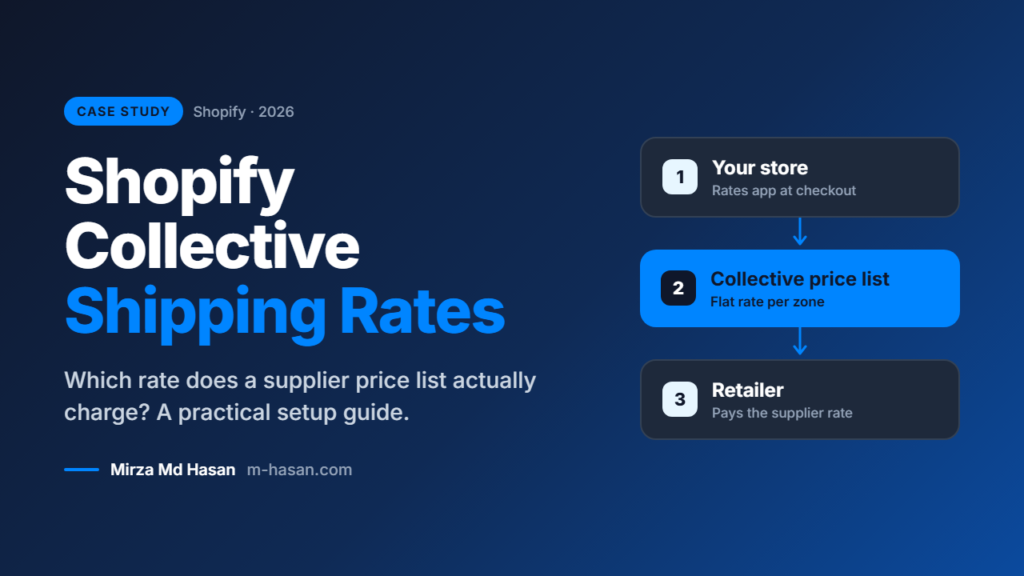
| A retailer buying through Collective | The shipping set on the Collective price list the retailer is assigned to. This is what the retailer pays the supplier per order. |
| The retailer’s own customer | Set by the retailer at their checkout. It mirrors the supplier’s rates by default, but the retailer can change it. |
So the dropshipping rate and the wholesale rate should each live on their own price list. Which one applies depends on which price list the retailer is on.
The catch: “Calculated at checkout”
Each Collective price list has a Shipping section with two options. You can set flat rates per zone, or choose “Calculated at checkout”, which uses the rates from the store’s shipping profiles.
That second option is where a third-party rates app can cause trouble. Some merchants report that rates produced by an app don’t pass through to retailers, because Collective reads the native shipping profiles rather than the app’s live rates. I couldn’t assume it either way, so I wrote to the app’s support team with four direct questions:
- Do the app’s calculated rates reach retailers when a price list uses “Calculated at checkout”?
- Does the app work with Collective’s carrier service in any way?
- If not, what do they recommend for Collective orders?
- Is there any risk of the app’s rates conflicting with Collective’s shipping profile?
When a client’s money depends on the answer, I would rather verify with the vendor than guess.
Flat rate vs. “Calculated at checkout”: which should you choose?
For a Shopify Collective price list, this is the decision that matters most. Here is how the two options compare for a supplier that uses a third-party rates app.
| Flat rate per zone | Calculated at checkout | |
|---|---|---|
| How it works | You set a fixed shipping amount for each shipping zone on the price list | Collective uses the rates from the store’s shipping profiles |
| Predictability | High: you know what every retailer pays | Depends on the profile rates, which may not include your app’s rates |
| Works with a third-party rates app | Yes, because the app isn’t involved | Uncertain until the app vendor confirms it |
| Best for | Stores with tiered or app-driven rates | Stores whose rates live entirely in native Shopify shipping profiles |
| Main risk | The flat amount can drift from your real shipping cost | Retailers may be charged a different rate than you expect |
When flat rates make sense
Choose flat rates when your store’s own rates come from an app, when you ship a narrow range of product sizes, or when you want retailers to see a clear, stable shipping cost. You trade a little precision for a lot of certainty.
When “Calculated at checkout” makes sense
This option can work well when your shipping profiles already hold the real rates and no app overrides them. Even then, I would place a test order before trusting it.
What I recommended
Until the vendor confirms, I advised the client to use flat rates per zone on every Collective price list and keep the rates app for the store’s own checkout. This makes what retailers pay predictable. My checklist:
- Make sure each price list’s flat shipping covers your real shipping cost. Retailers pay that amount, and the rates app isn’t involved.
- Keep dropshipping and wholesale on separate price lists, each with its own margin and shipping.
- Tell retailers when shipping changes. Collective emails them about flat-rate changes, but their own storefront rates don’t update automatically.
- Place a test order as a retailer once setup is done, and check what is actually charged.
- Don’t reuse your store’s free-shipping threshold for Collective orders without checking the margin first.
How to set up Shopify Collective shipping rates, step by step
- List your shipping scenarios. Write down every way an order can reach you: your own storefront, dropshipping retailers and wholesale retailers.
- Create one price list per scenario. Keep dropshipping and wholesale separate so each has its own pricing and shipping.
- Open the Shipping section of each price list. Choose flat rates per zone, or “Calculated at checkout” if your native shipping profiles hold the real rates.
- Set each flat rate from your real costs. Include packaging, carrier cost, and handling, and compare it against your margin on typical orders.
- Leave your storefront rates alone. Your shipping rates app keeps serving customers who buy directly from your site.
- Assign retailers to the right price list. The price list decides which shipping rate applies to them.
- Test as a retailer. Place a test order and check the shipping amount that is actually charged.
- Tell your retailers. Let them know about shipping terms and any later changes, since their storefront rates are theirs to manage.
Common mistakes to avoid
- Assuming your rates app covers collective orders. It may not. Verify it; don’t guess.
- Using one price list for everything. Dropship and wholesale orders have different costs and margins.
- Copying your storefront free-shipping threshold. It can wipe out your margin on wholesale orders.
- Setting flat rates once and forgetting them. Carrier costs change, so review them regularly.
- Skipping the test order. It is the fastest way to find a mismatch before a retailer does.
Frequently asked questions
Which shipping rate does Shopify Collective use?
It uses the shipping configured on the price list the retailer is assigned to, not the rates your storefront shows to direct customers.
Can I use a third-party shipping rates app with Shopify Collective?
Yes, for your own storefront. For Collective price lists, I recommend flat rates per zone unless the app vendor confirms that their calculated rates reach retailers.
Who pays for shipping on a Collective order?
The retailer pays the supplier the shipping amount set on the price list. The retailer’s customer pays whatever the retailer charges at their own checkout.
Can retailers change the shipping rate their customers pay?
Yes. By default, their storefront rates mirror the supplier’s, but the retailer can change them.
Should dropshipping and wholesale use the same price list?
No. Separate price lists let you set different pricing, margins, and shipping for each.
Takeaways
Shopify Collective and a third-party shipping app can live happily on the same store, but only if you treat them as two separate shipping systems. Set explicit rates on each price list, don’t assume the app’s rates carry over, and test with a real retailer order before you go live.
If you run a Shopify store and are planning to open it to retailers, I’m happy to review your shipping setup before the first order arrives.